01
Statement reader
Gets the real picture
Reads your exported statements and shows where every dollar goes, in dollars and percent of revenue.
 Expense Control Hub
Most businesses spend first and hope profit shows up at the end. Expense Control Hub flips that. You set the profit and owner pay you need, and every real expense has to earn its place under the Salary Cap. Then each decision becomes an action with a name and a date.
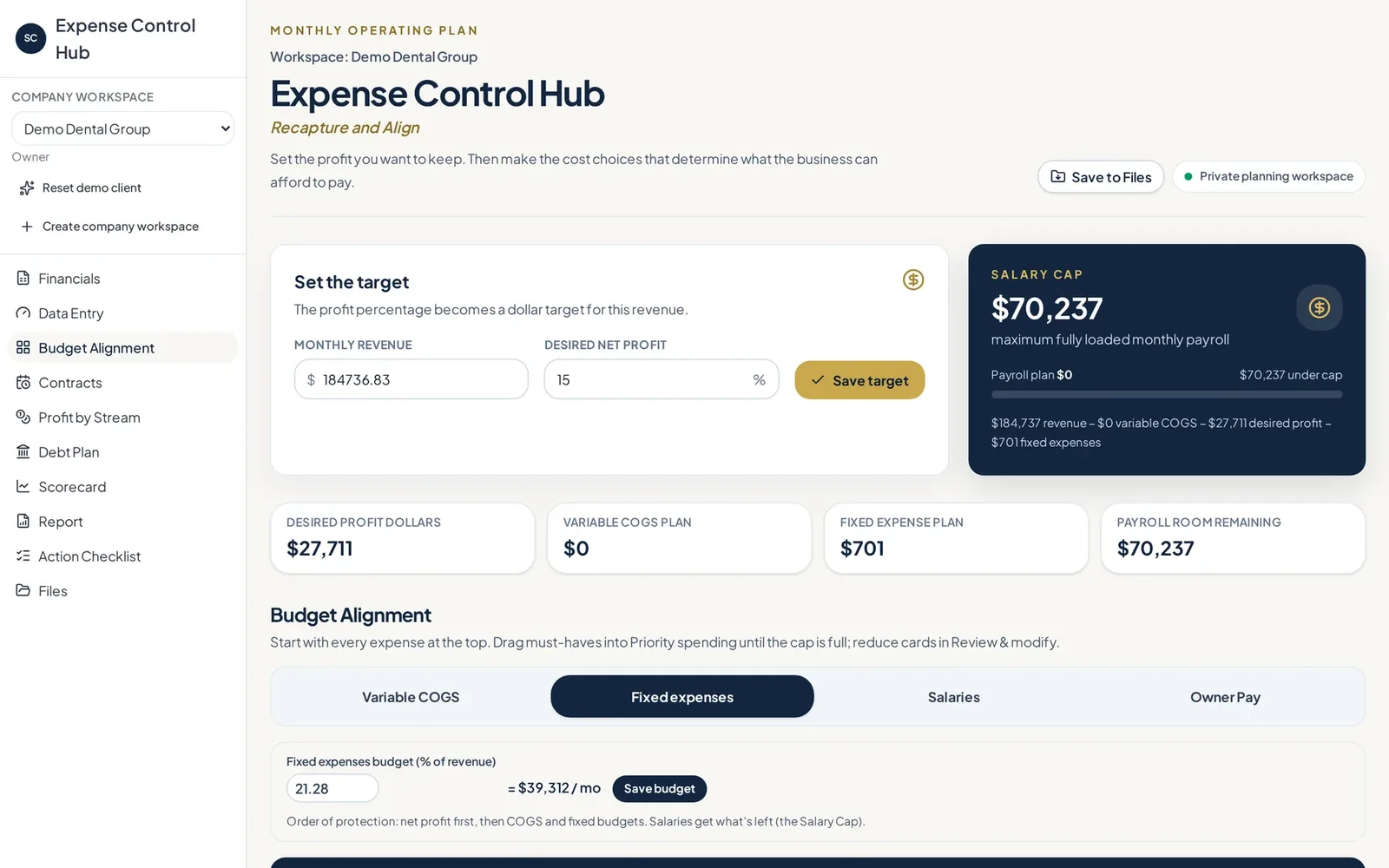
Expense Control Hub is a profit-first expense control app built on the Salary Cap Method. Owners upload their Profit and Loss, Balance Sheet and Cash Flow, set a profit target, and sort every real expense under a cap. Each cut, renewal or change becomes a dated action assigned to a person and tracked over time.
| Built by | SMB Strategy Consultants |
|---|---|
| Made for | Owners, bookkeepers and fractional CFOs |
| Works from | P&L, Balance Sheet and Cash Flow exports |
| Method | The Salary Cap Method |
The Hub does the sorting, math and tracking so the decisions are the only part left for you. Inside CFO Clarity Layer, Jordan, the Salary Cap specialist, runs this same method for advisory clients.
Gets the real picture
Reads your exported statements and shows where every dollar goes, in dollars and percent of revenue.
Sets the limit
Takes out profit and owner pay first, then budgets costs so you know exactly what is left.
Organizes decisions
Puts each expense into keep, review, cut or priority so the easy wins are obvious.
Catches contracts
Tracks contract end dates so you can act before another year renews on its own.
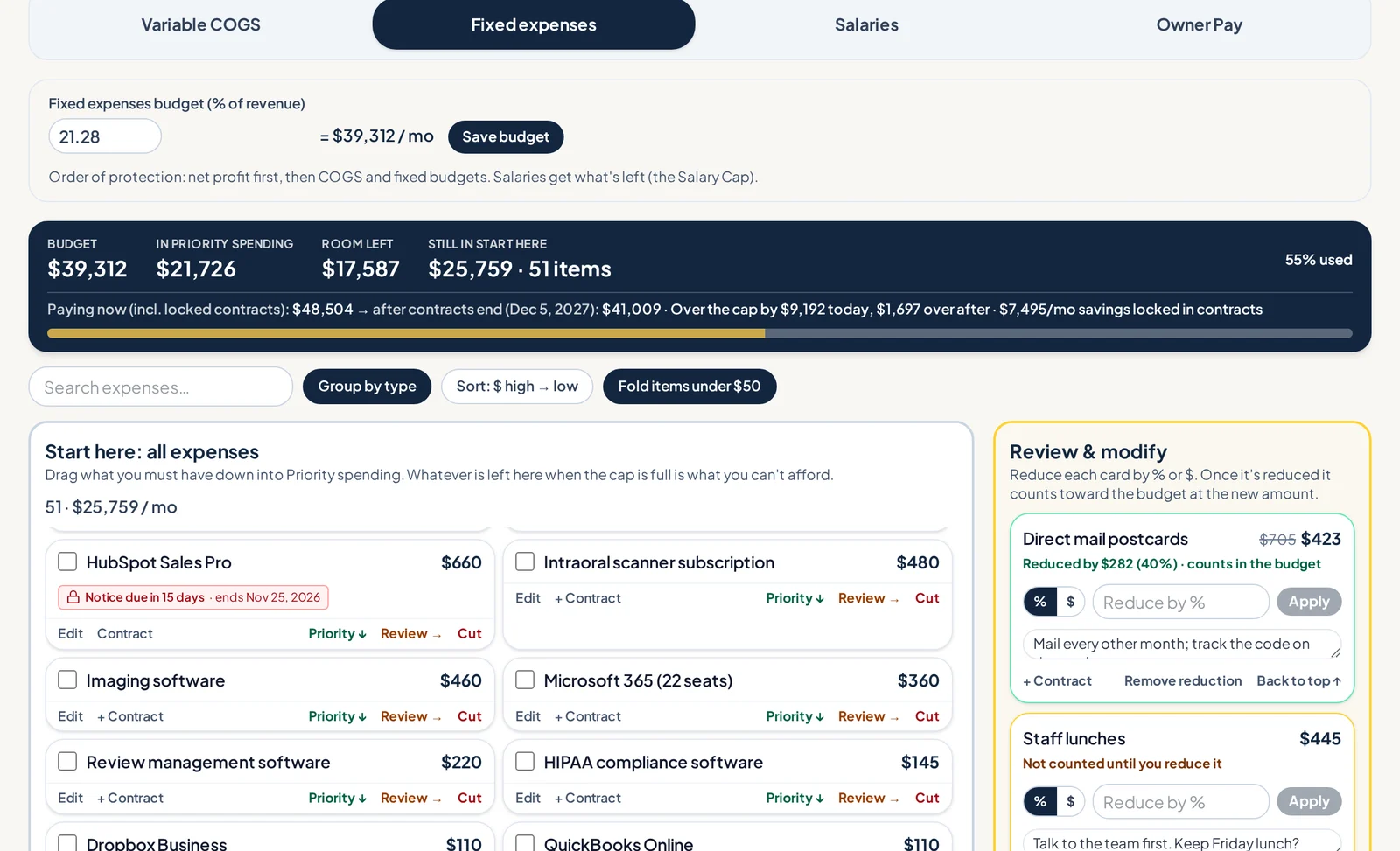
Every expense is a card. Drag it to keep, reduce, cut or priority and watch the Salary Cap bar update. You see exactly how close you are to the profit you planned.
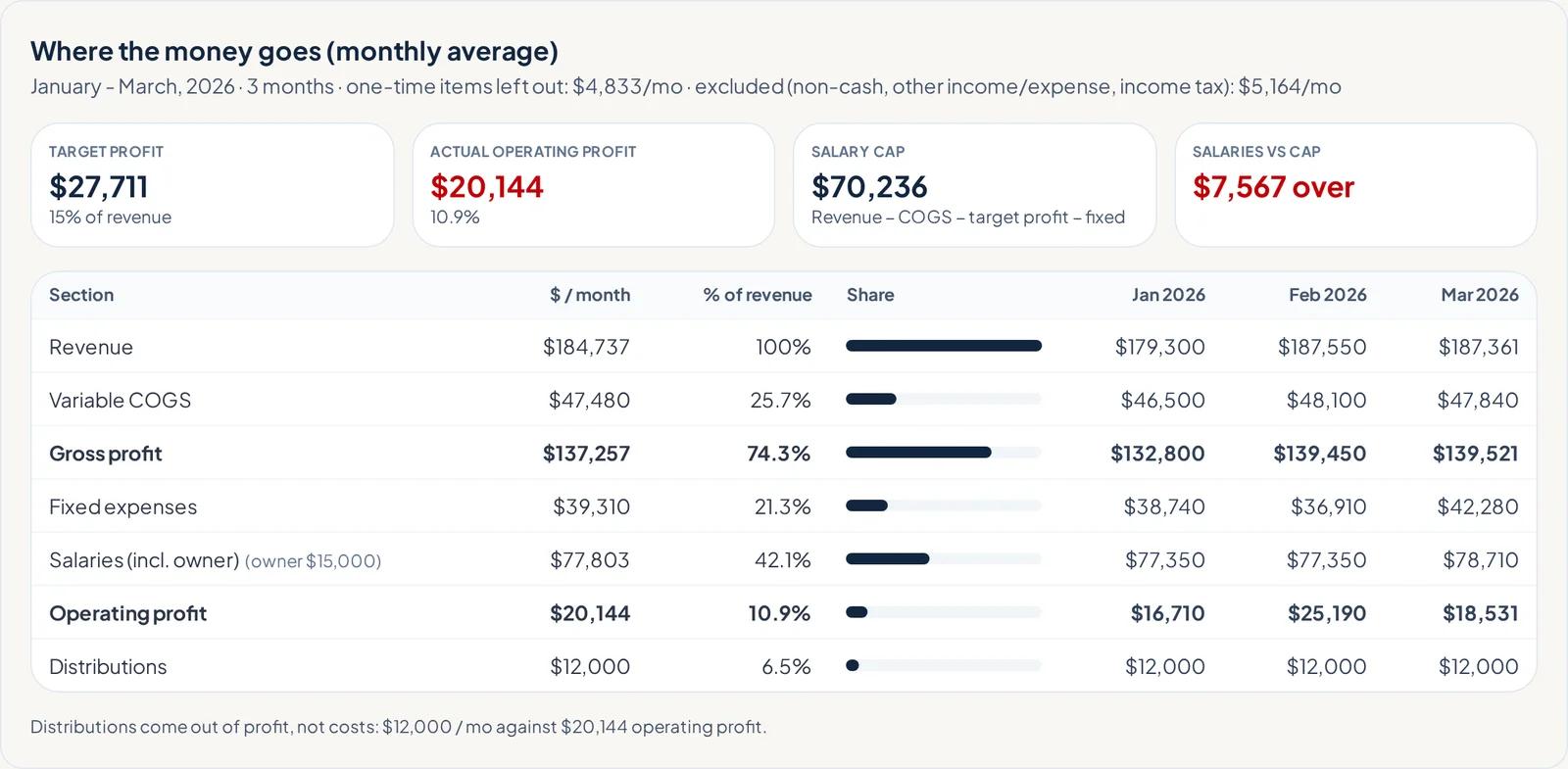
Upload the statements you already export from your accounting system. The Hub breaks them into clear sections and checks that everything ties back to net income before anything is saved.
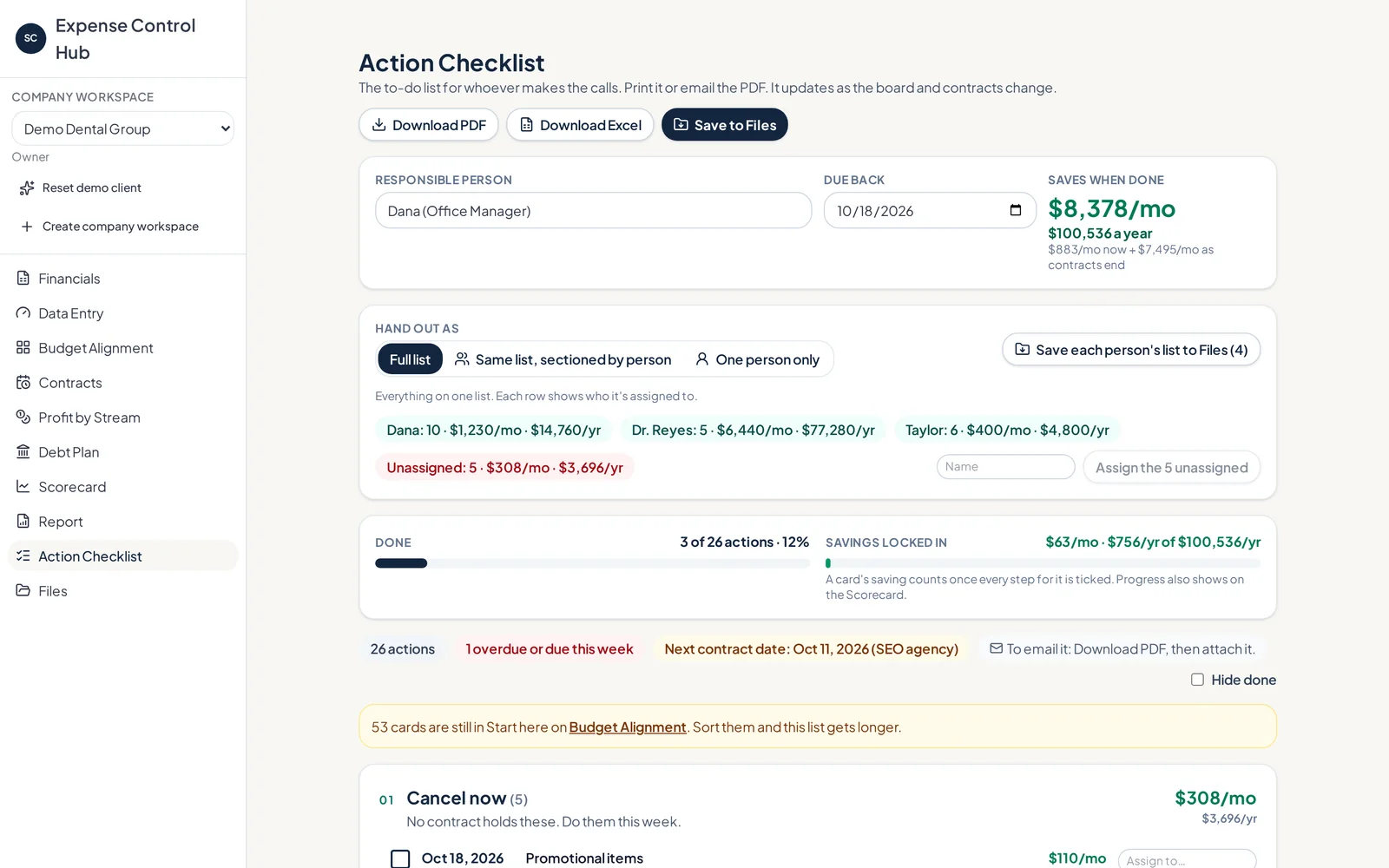
A list of ideas does nothing. The Hub turns each cut, cancel or renegotiation into an action assigned to a person, with a due date and the savings attached. Print a checklist for each person if you like.
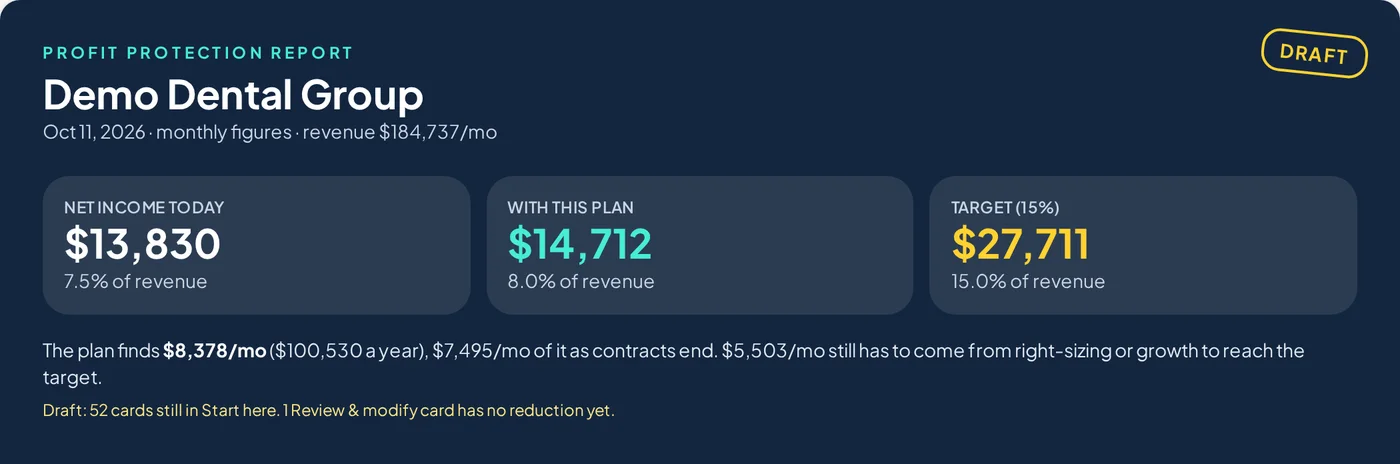
The Profit Protection Report shows net income today, with the plan and at target, plus where every dollar of revenue goes. Share it with a partner, banker or your team.
Use the revenue you actually have, not the revenue you hope for.
Set aside your profit target and owner pay before anything else.
Give direct costs and fixed costs a clear budget.
The remainder is the Salary Cap: the most the business can spend on people.
You do. The Hub shows the math and tracks the follow-through. Every keep, cut and change is your call.
You want to know what you can afford today and stop being surprised at the end of the month.
You want a clear way to walk clients through spending decisions and hold them to the plan.
You are about to hire and need to know whether payroll fits before you make the offer.
No. Expense Control Hub works from the Profit and Loss, Balance Sheet and Cash Flow you can already export from your accounting system.
A spreadsheet starts with spending and leaves profit as whatever is left. The Hub starts with profit, sets a Salary Cap and turns every decision into an assigned, dated action.
The cap is the most the business can spend on people after profit and costs are covered. The board covers every expense, so you can see how all of it fits.
Yes. You can invite people to your company and control what each person can do.
A demo is a short, live walkthrough built around your situation. We will show you where the agents save the most time and answer questions about fit and timing.
Prefer to explore first? Visit expensecontrolhub.com ↗
Tell us a little about you. We will reach out to set up a time that works, usually within one business day.
 BigMo Sales RepAn AI sales assistant that handles everything around the sale.
 AgentStackOSAn agentic operating system that runs a growth program for every agency client.
 CFO Clarity LayerAn AI CFO team that preps monthly advisory for accounting firms.
 Profit Engine ScorecardYour numbers and the economy in one live scorecard, with a check engine light.