01
Prospector
Finds who to call
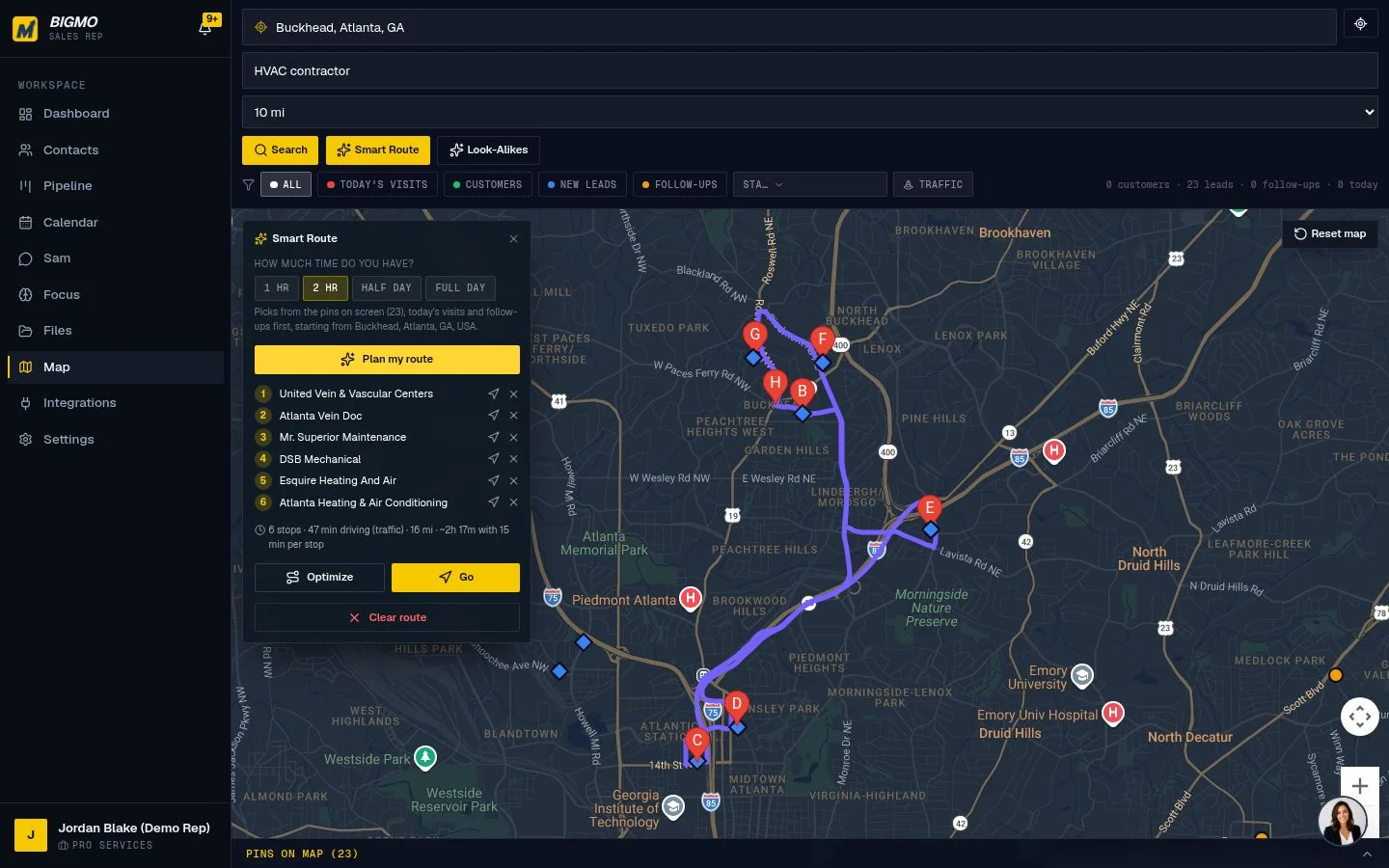
Searches a map for real businesses in an area, shows the people who work there and plans a driving route.
 BigMo Sales Rep
Most sellers lose deals after the meeting, not in it. BigMo gives you Sam, an AI assistant who listens to a quick voice note, updates the record, books the next step and drafts the follow-up. You stay in front of people. Sam handles the rest.
BigMo Sales Rep is an AI sales assistant for people who sell their own services, such as consultants, coaches and field reps. Its assistant, Sam, finds prospects, logs meetings from a voice note, moves deals, drafts follow-ups and coaches you before calls. It works with your current CRM, and nothing is sent without your OK.
| Built by | SMB Strategy Consultants |
|---|---|
| Made for | Consultants, coaches, owners and field reps who sell |
| Works with | GoHighLevel, HubSpot, Salesforce, Pipedrive, Apollo |
| Runs on | Phone and desktop |
Sam is one assistant with four jobs. Each one takes a piece of selling off your plate that usually gets skipped when the week gets busy.
Finds who to call
Searches a map for real businesses in an area, shows the people who work there and plans a driving route.
Keeps the record
Turns "just left Oak Park Dental, they want a walkthrough Thursday" into a contact, a deal update and a calendar hold.
Drafts the follow-up
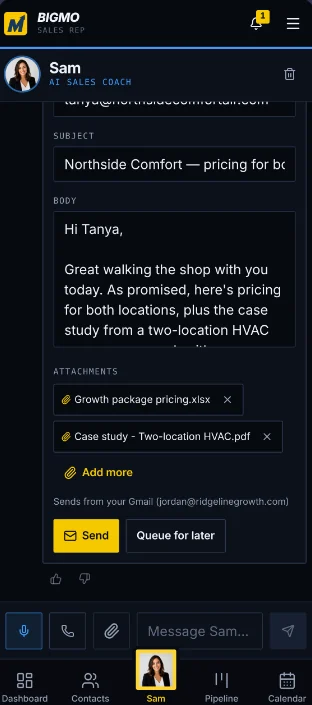
Writes the email or LinkedIn note in your voice with the right file attached, then waits for you to tap Send.
Preps you for the room
Briefs you before a meeting and helps you practice the objection you are most worried about.
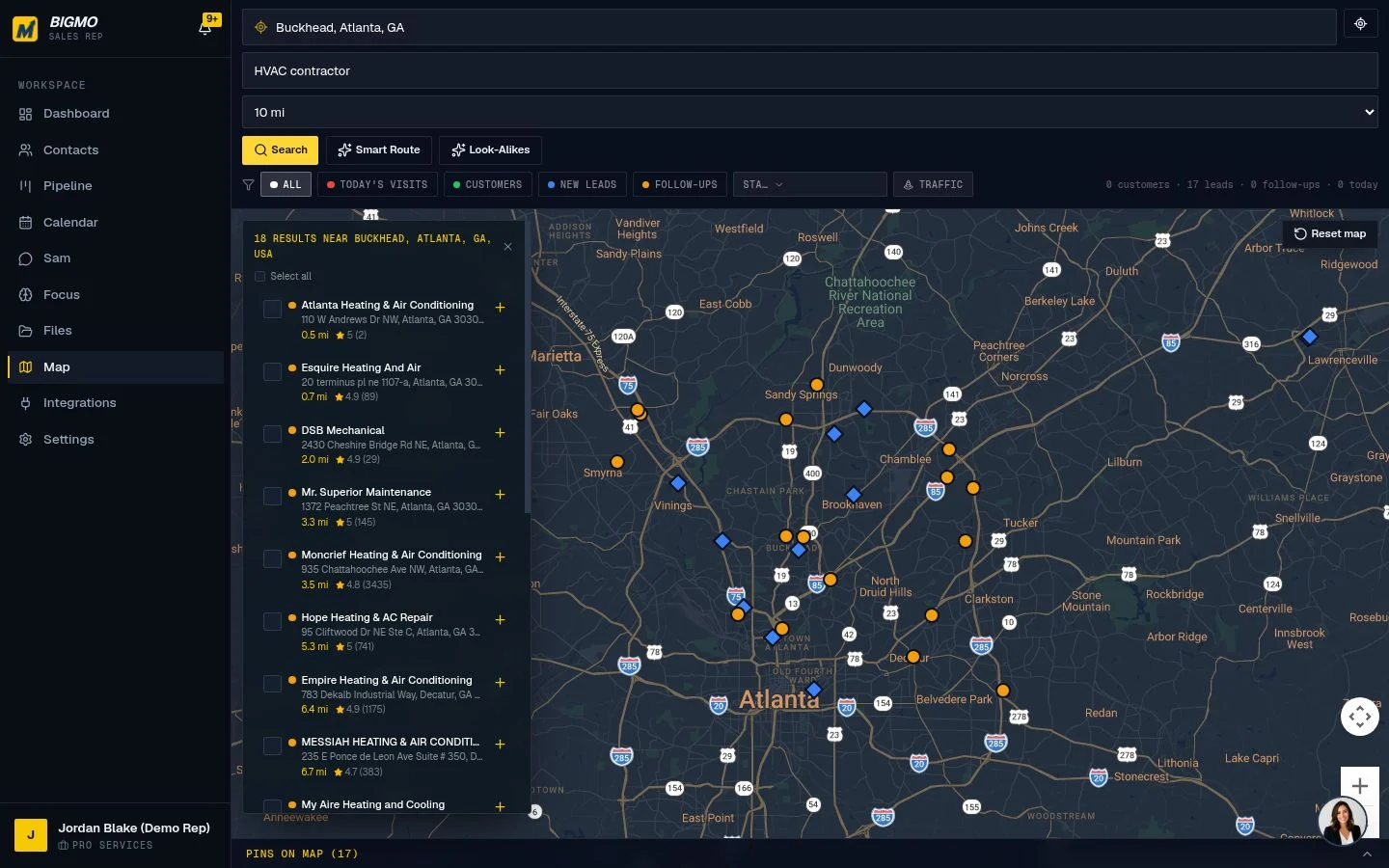
Pick an area and a type of business. BigMo pins every match on the map, shows the people inside and builds a route in driving order, so a half day of visits is planned in a minute.
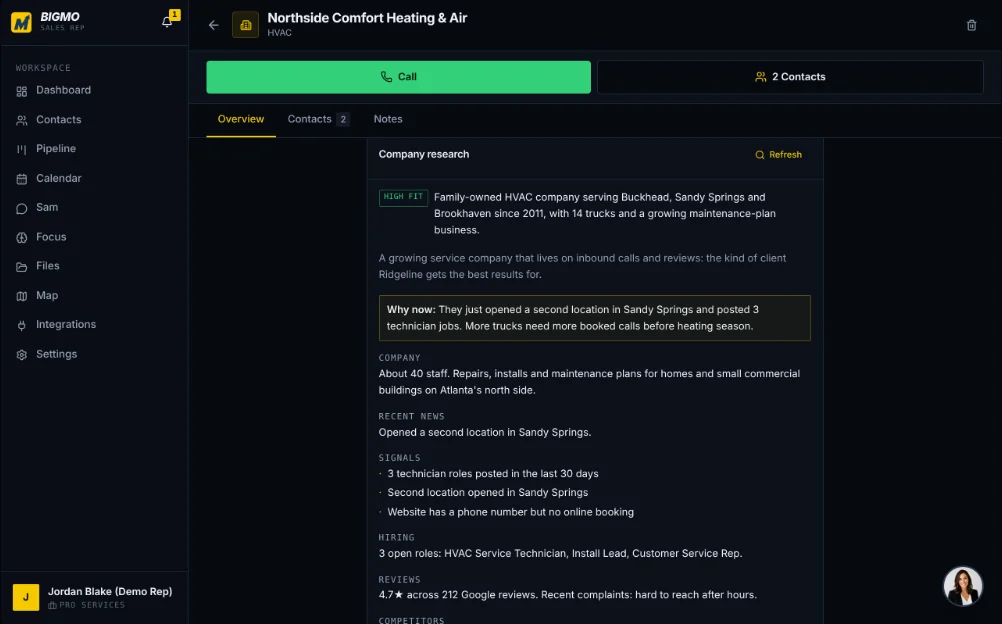
Before a meeting, Sam pulls together a short research brief: what the company does, signs they may need help, and who you are talking to. You show up prepared without an hour of digging.
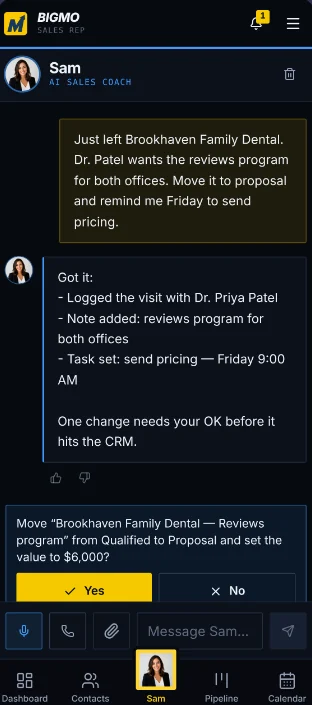
Talk to Sam in the car after a visit. The note becomes a logged activity, the deal moves to the right stage and the next step lands on your calendar. Your CRM stays current without typing.
Sam drafts the message while the meeting is fresh and attaches the case study or one-pager you mentioned. You read it, change what you want and send it yourself.
Search an area, save the companies worth visiting and let BigMo order the route.
Do what you are good at. Open Sam for a quick brief before you walk in.
Leave a voice note after each stop. Sam updates the record and the calendar.
Review the drafted follow-ups and send them with one tap.
You do. Sam prepares the work, but the moves that affect a customer wait for you.
You sell your own services and hate the admin that comes after a good conversation.
You live in the car between visits and need the CRM to keep up on your phone.
You want every rep following up the same way without chasing them for updates.
No. BigMo works alongside GoHighLevel, HubSpot, Salesforce and Pipedrive and keeps them up to date. If you do not have a CRM, BigMo can be your CRM.
Only when you say so. Sam drafts every follow-up and waits for you to send it. You can choose to allow auto-send for specific contacts if you want to.
Yes. BigMo is built to be used one-handed on a phone between meetings, and it also runs on desktop.
Request a demo below. We will walk through your selling day and show where Sam saves you the most time.
A demo is a short, live walkthrough built around your situation. We will show you where the agents save the most time and answer questions about fit and timing.
Prefer to explore first? Visit bigmosalesrep.com ↗
Tell us a little about you. We will reach out to set up a time that works, usually within one business day.
 AgentStackOSAn agentic operating system that runs a growth program for every agency client.
 CFO Clarity LayerAn AI CFO team that preps monthly advisory for accounting firms.
 Expense Control HubProtect profit first, then fit every expense under a Salary Cap.
 Profit Engine ScorecardYour numbers and the economy in one live scorecard, with a check engine light.